Accessing Equipment Screen from Inventory
In the top left corner of the inventory screen, there is a flip button:
When you click it, the inventory screen will flip to an equipment screen.
Equipment Screen
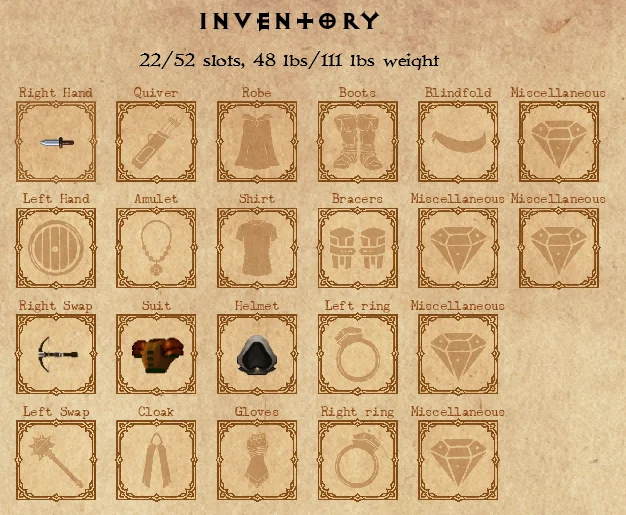
The equipment screen will give you a quick look at what equipment slots there are and which one of them have been equipped with an item.
Clicking an item icon in the equipment screen will show its item row below the equipment slots.
Double-clicking an item icon in the equipment screen will open an item action menu.