👉 This page compares different graphical user interfaces for NetHack, including the official Windows GUI, NetHack 3D, and GnollHack.
📖 Overview
| GUI | What is it? | Summary |
|---|---|---|
| NetHack Windows GUI | The official NetHack GUI for Windows. | A very basic GUI with static 2D tiles. |
| NetHack 3D by JamesIV4 | A web-based 3rd party 3D GUI. | A 3D GUI with low-resolution pixel graphics, sounds, special effects, and VR support. |
| GnollHack | A modern roguelike game, based on the NetHack codebase. | A modern GUI with animated 2D graphics, sounds, music, and voiceovers. |
📊 Feature Comparison
🎨 Graphics and Sound
| Feature | NetHack Windows GUI | NetHack 3D | GnollHack |
|---|---|---|---|
| Visual perspective | 2D top-down grid. Zooming in and out isn't possible, but a fit-to-screen mode scales the map to the window. | 3D perspective supporting a top-down view, a first-person mode, and a terminal view. VR modes are available on Meta Quest. Zooming in and out is possible. | High-resolution 2D top-down grid. Zooming in and out is possible. |
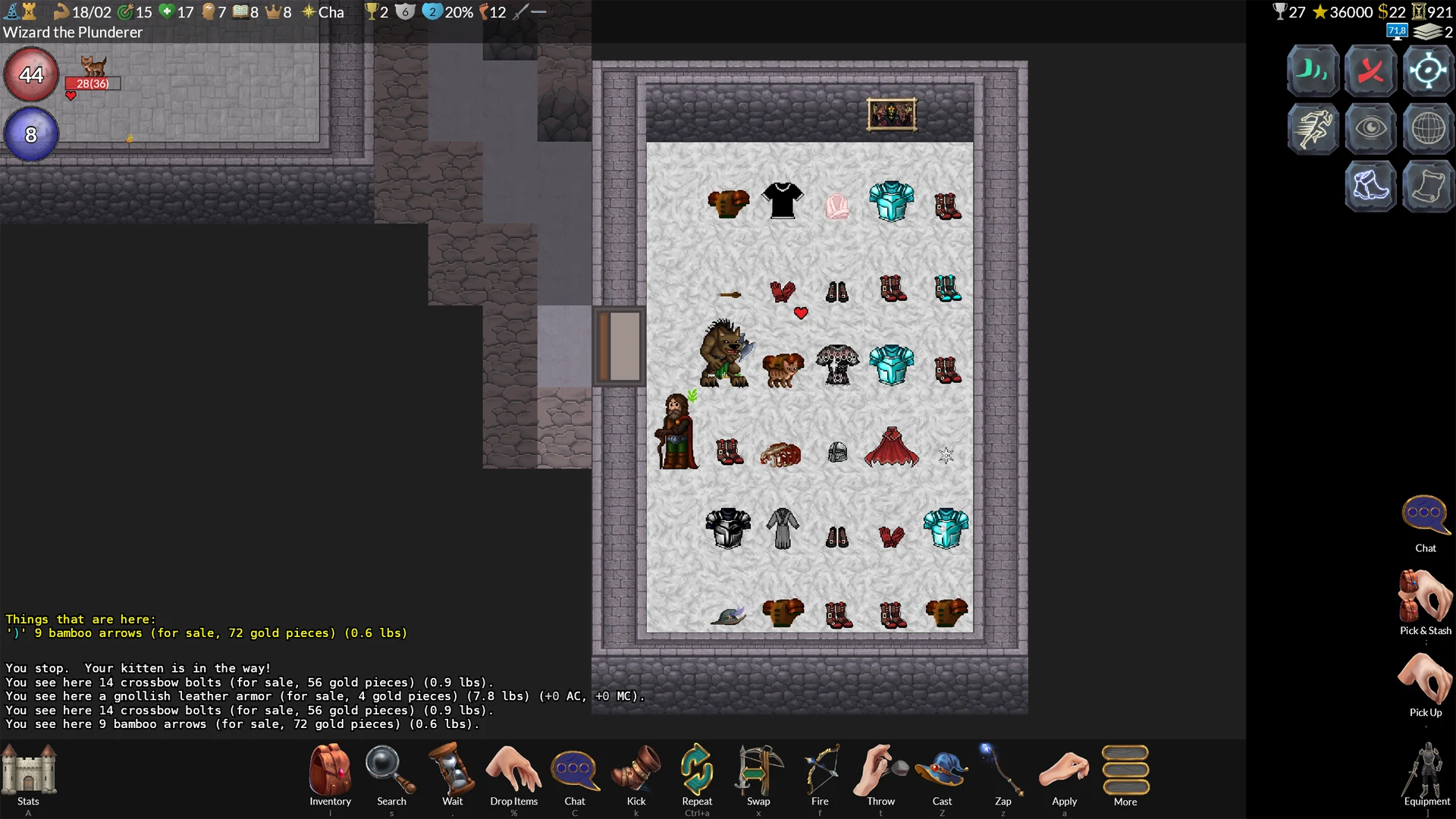
| Graphics and engine | Traditional static 2D tilesets (typically 16x16 or 32x32 pixels). | Renders traditional 2D tilesets (such as the Nevanda tileset) as camera-facing elements inside a 3D dungeon. Ten tilesets are built in, custom tilesets can be imported, and a 3D ASCII mode is also available. | Advanced 2D graphical engine featuring massive tiles (between 64x96 and 192x192 pixels) and multiple layers. The tileset has over 23,000 base tiles.1 |
| Animations and effects | None. | Defeated monsters can shatter into pieces with blood mist and splatter. Also features dynamic lighting, animated movement, floating damage indicators, and first-person weapon visuals. | Character animations (attacking, kicking, etc.), animated dungeon features, and spell effects. |
| Sound support | Basic sound effects for musical instruments, squeaky boards, and gaining or losing experience levels (new in NetHack 5.0). Limited support for custom sound mapping. | Sound effects for exploration and combat. Custom sound packs can be created and edited in the game. | Advanced sound system featuring 1,100+ sound effects, 37 music tracks, and full voice acting (96 voice actors, 5,000+ voiceover lines). |
- 1 "Over 23,000 base tiles" means that GnollHack has over $23000 \times 64 \times 96$ pixels of custom tile graphics. That's over 141,312,000 pixels, which means over 17 full 4K screens of custom tile graphics. Some of these graphics are auto-generated, such as statue graphics, by our custom Tile Set Compiler. Animations also take up a lot of space.
🖱️ Interface and Controls
| Feature | NetHack Windows GUI | NetHack 3D | GnollHack |
|---|---|---|---|
| User interface | Very basic UI with modal text windows. | Modern graphical UI with a HUD, a scalable minimap, and customizable hotbars. | Modern graphical UI with high-definition UI graphics. |
| Input and controls | Keyboard-centric. Uses numpad or vi-keys for movement. Very rudimentary mouse support. | Keyboard and mouse, controller (with radial action menus), and touch controls. Tracked controllers are supported in VR. | Modern keyboard, touch, and mouse support tailored for point-and-click gameplay. Controller support (with radial action menus) on the Steam Deck, Linux, and Windows. |
| Inventory management | The inventory is a text menu where items are bound to letters. Since NetHack 5.0, selecting an item in the inventory opens a menu of context-sensitive item actions. Otherwise, the player must first use an appropriate command, such as Quaff (q) for drinking. |
Graphical inventory with item categories. Most common item commands are accessible directly through the inventory screen. | Animated, graphical inventory. Most common item commands are accessible directly through the inventory screen. |
| Targeting system | Keyboard directional cursor. | Mostly keyboard directional cursor, but mouse and touch can be used in the far look mode. | Modern support for mouse and touch. Also supports a keyboard directional cursor. |
| Configuration | Global options can be set through a text-based configuration file. Game-specific options can be set through an in-game menu. | GUI settings and selected startup options (such as autopickup and pet names) can be set through in-game menus. Game-specific options can be configured through an in-game menu. | Most settings can be set through a modern in-game settings menu. Game-specific options can be set through an in-game menu. Also exposes global options through a text-based configuration file. |
📦 Availability and Versions
| Feature | NetHack Windows GUI | NetHack 3D | GnollHack |
|---|---|---|---|
| Native OS Support | Windows | Android, Linux (+Steam Deck), macOS, Windows, and Meta Quest | Android, iOS, Linux (+Steam Deck), macOS, and Windows |
| Web Browser Support | ❌ | ✅ | ❌ |
| Game version | Vanilla NetHack 5.0 | Vanilla NetHack 5.0 or 3.6.7, or Slash'EM | GnollHack |
| Release year | 2002 | 2026 | Mobile: 2023, Desktop: 2025, Steam Deck: 2026 |
| Download | NetHack website | GitHub or play in a web browser | Google Play Store, Apple App Store, Steam, GitHub, GnollHack website |
💡 Which One to Pick?
| GUI | Best for |
|---|---|
| NetHack Windows GUI | Purists seeking a lightweight, traditional experience. |
| NetHack 3D by JamesIV4 | Players wanting vanilla rules with a modern visual upgrade. |
| GnollHack | Players seeking a modern indie-game experience. |
🖼️ Screenshots
🖥️ NetHack Windows GUI
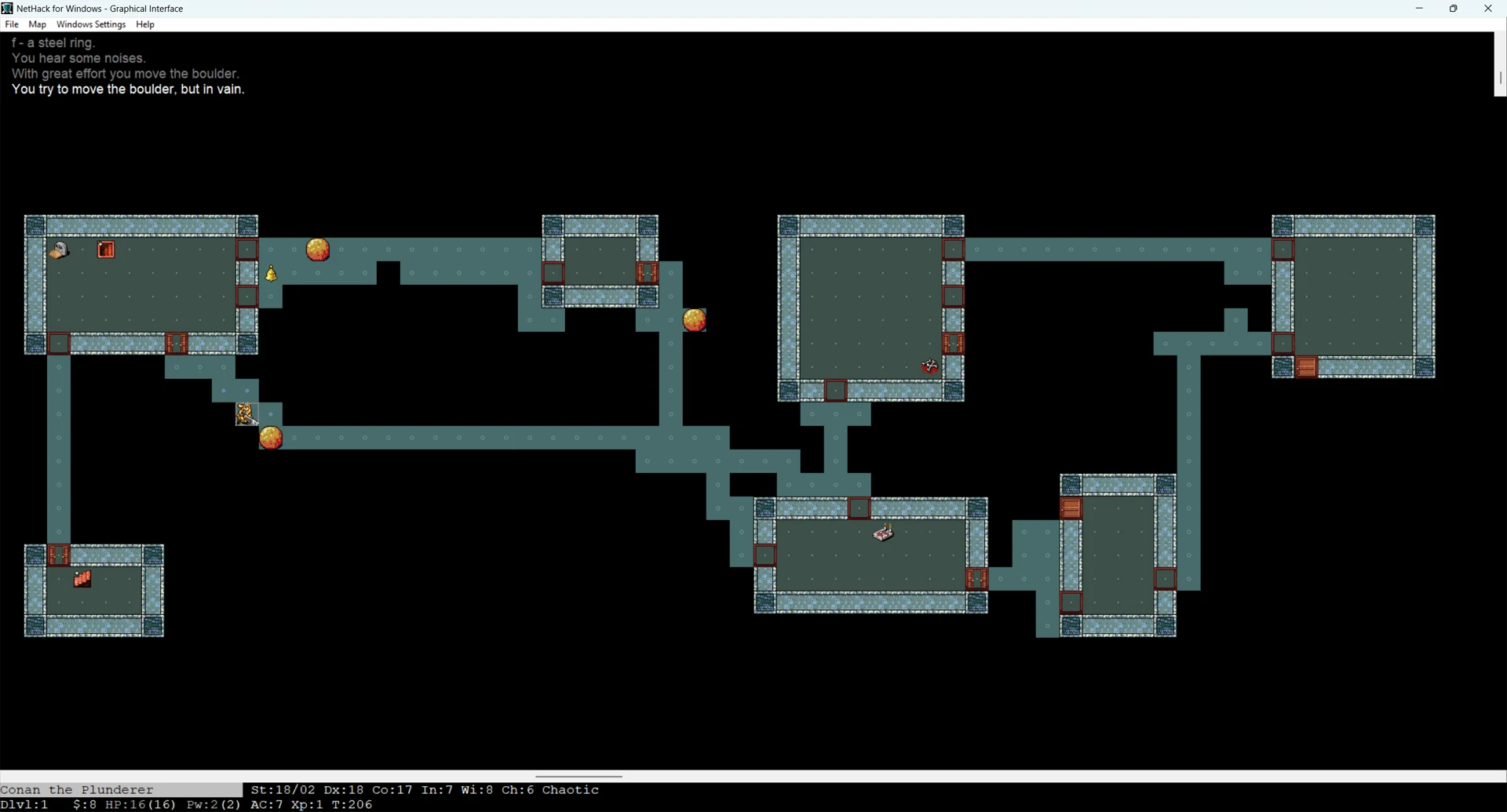
NetHack's Windows GUI looks like this with the Nevanda tileset (it's one of the best ones available; its tiles are 32x32 pixels in size):
🧊 NetHack 3D (by JamesIV4)
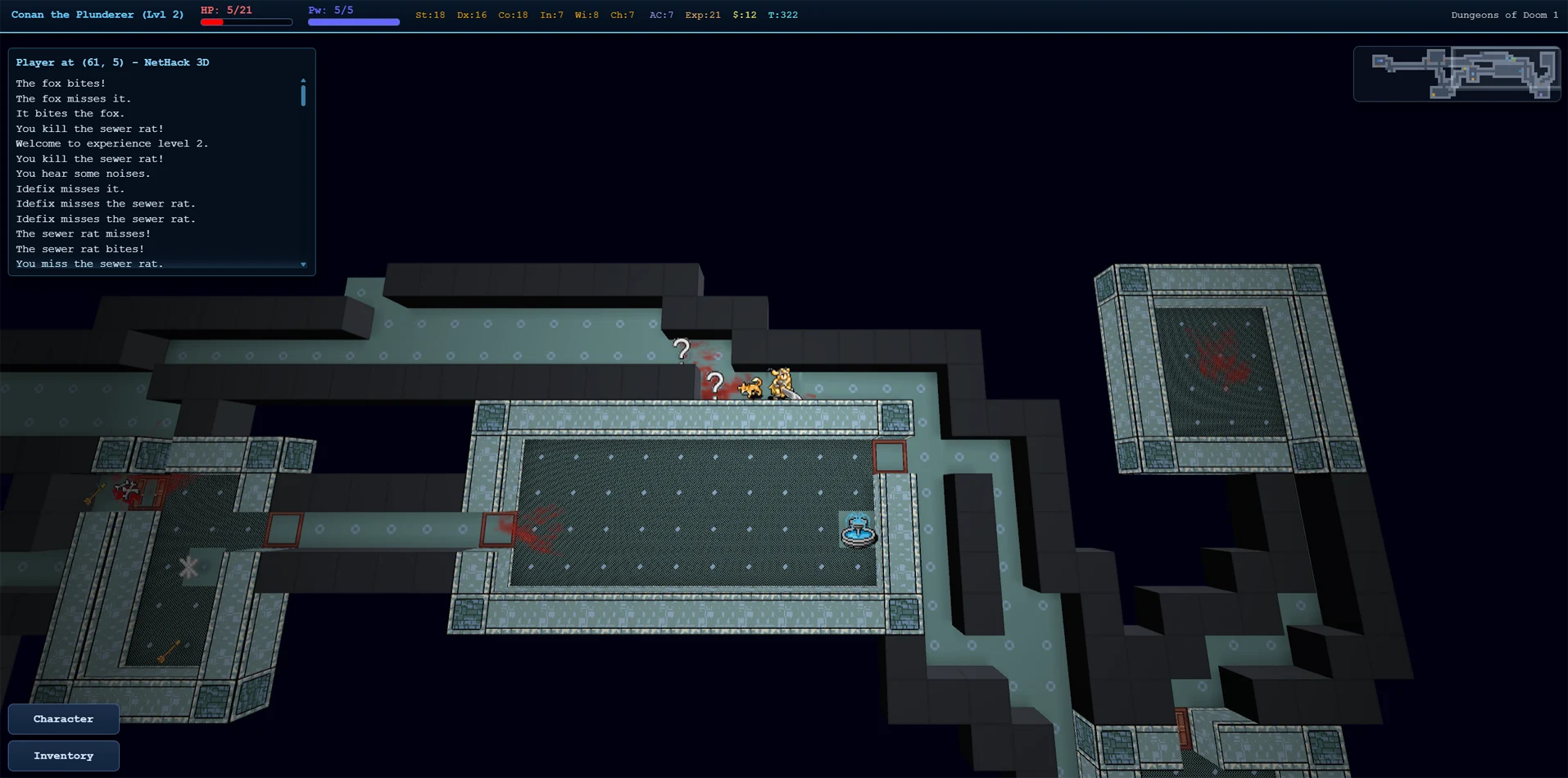
NetHack 3D looks like this in the top-down overview mode, using the Nevanda tileset (its tiles are 32x32 pixels in size):
🐺 GnollHack
GnollHack has its own custom tileset. Its tiles vary in size. They are usually between 64x96 and 192x192 pixels in size, except for items that are 64x48 pixels in size.