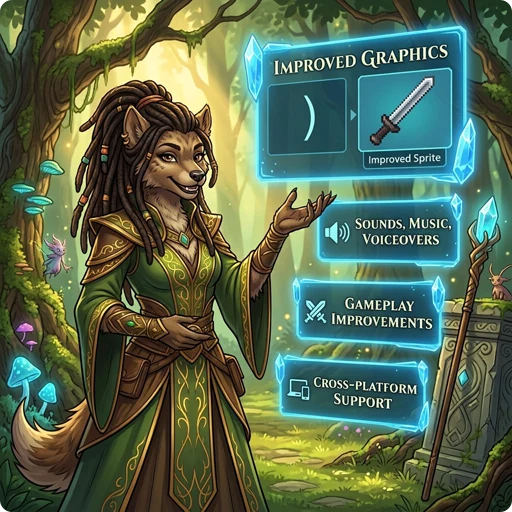
👉 GnollHack brings a wealth of modern features to the classic NetHack formula, significantly enhancing both the presentation and gameplay.
🖥️ Graphics
- Large 64x96 tiles featuring many advanced capabilities, such as several tile layers on one square and monsters that span multiple squares, up to 192x192 pixels in size.
- Over 23,000 tiles, all drawn by real artists specifically for GnollHack.
See Improved Graphical Interface.
🎬 Animations
- All characters have attack and kick animations, and spellcasters also have spell casting animations.
- Spell effects, explosions, rays, and traps are animated.
See Animations.
🔊 Sound
- Over 1,100 game sounds powered by FMOD and an internal sound set system, with spatial sound that depends on distance and obstacles.
🎵 Music
- An atmospheric soundtrack of 37 music tracks that changes with the dungeon branch, special level, and situation. 14 of the tracks were composed specifically for GnollHack.
See Music.
🗣️ Voiceovers
- 96 voice actors in 111 roles voice the game's characters and events.
- Over 5,000 recorded voiceover lines.
See Voiceovers.
🔮 Magic and Spells
- Spells are prepared with Mix (
Shift+x) from material components, called reagents. Each preparation gives a set number of castings, and spells are never forgotten. - Over 200 spells in 12 spell schools and 14 spell levels, from minor cantrips to level 12.
📖 Learn More
- Spells — Full spell lists, levels, and statistics
- Spell Casting — Detailed spellcasting mechanics, somatic armor penalties, and casting chances
🎒 Items and Equipment
- Ordinary equipment can appear with mythic or legendary properties, and weapons come in quality tiers from exceptional to celestial, primordial, and infernal.
- Wear a robe over your body armor, and equip bracers and up to five miscellaneous items.
- Every common item action is available directly from the inventory, and Examine (
Alt+x) shows an item's exact statistics.
📖 Learn More
- Items — Overview of new items and materials
- Artifacts — Information on quest artifacts and unique objects
- Mythic and Legendary Items — Guide to item prefix and suffix affixes
- Exceptional, Elite, Celestial, Primordial, and Infernal Items — Guide to upgraded weapon quality classes
⚔️ Combat and Skills
- NetHack's weapon skills are merged into 12 weapon skills, which can be raised as high as Grand Master and increase your chance of critical hits.
- Launchers add their own damage to the missiles they fire, swapping between two weapon sets does not take a turn, and you can dual-wield artifacts and weapon-shields.
📖 Learn More
- Skills — List of consolidated skills, prestige skills, and level requirements
- Changing Between Two Sets of Weapon and Shield — How weapon sets work
👹 Monsters and Pets
- Monsters often appear as encounters whose overall difficulty fits the dungeon level and your experience level.
- Chat with non-player characters: shopkeepers identify items, priests heal you and cure sickness, and some peaceful monsters can be hired to join your party.
- Pets find their way to you with the same pathfinding as the travel command, and their hit points are shown on the status lines.
📖 Learn More
- Monsters — Detailed bestiary of monsters, bosses, and alignment modifiers
- Understanding Pets and Hirelings — Guide to pets, hirelings, and their commands
🌟 Progression and Game Modes
- Reach up to experience level 50, with a much faster experience curve than in NetHack.
- The titular Gnoll replaces the gnome as a playable race.
- Seven difficulty levels from Standard to Grand Master, and a choice of gameplay modes.
📖 Learn More
- Races — Playable races and racial traits
- Character Classes — Playable roles and starting equipment
- Difficulty Levels — Detailed modifiers for difficulty ratings
🤖 AI Advisor
- Gnoll Overseer — A free, optional in-game AI advisor powered by frontier AI models and grounded in GnollHack's actual game data, source code, and wikis.
- When opened during play, the Overseer reads your current stats, inventory, and surroundings to give spoiler-aware tactical advice — and stays completely out of the way if you prefer playing unaided.
- Model accuracy, speed, and reliability are evaluated continuously with GnollBench, the Gnoll Overseer's own multi-provider benchmark.
🎮 Steam Deck and Game Controllers
- Play the whole game with the Steam Deck's built-in controls, starting from version 3.32, or with a game controller on Windows, Linux, and macOS.
- Radial menus put every command within reach, and a strip of button hints at the bottom of the screen always shows what each button does.
- The controller also works in menus, settings, the in-app wiki, and the Gnoll Overseer chat.
- Xbox controllers work on all three desktop platforms, and PlayStation controllers are also supported on macOS.
See Steam Deck and Controller Support.
💻 Platform Support (Modern Graphical UI)
- Android
- iOS
- Linux (including the Steam Deck)
- macOS
- Windows
Game controllers are supported on the Steam Deck, Linux, macOS, and Windows. See Steam Deck Controls.
🖱️ Desktop and Technology
- Desktop Features — Features that appear only on the desktop versions of GnollHack
- Technological Features — GnollHack from the development technology perspective
📖 More Information
- See Detailed Features for a complete reference of the gameplay changes GnollHack makes to NetHack.
- You may also want to read about How GnollHack differs from NetHack.